
끌어다 놓거나 업로드 (0/1)
JPG, JPEG, PNG, WEBP, 최대 16MB
무료 AI 오래된 사진 복원
스크래치를 고치고 디테일을 되살리며 추억을 빠르게 컬러화하세요.
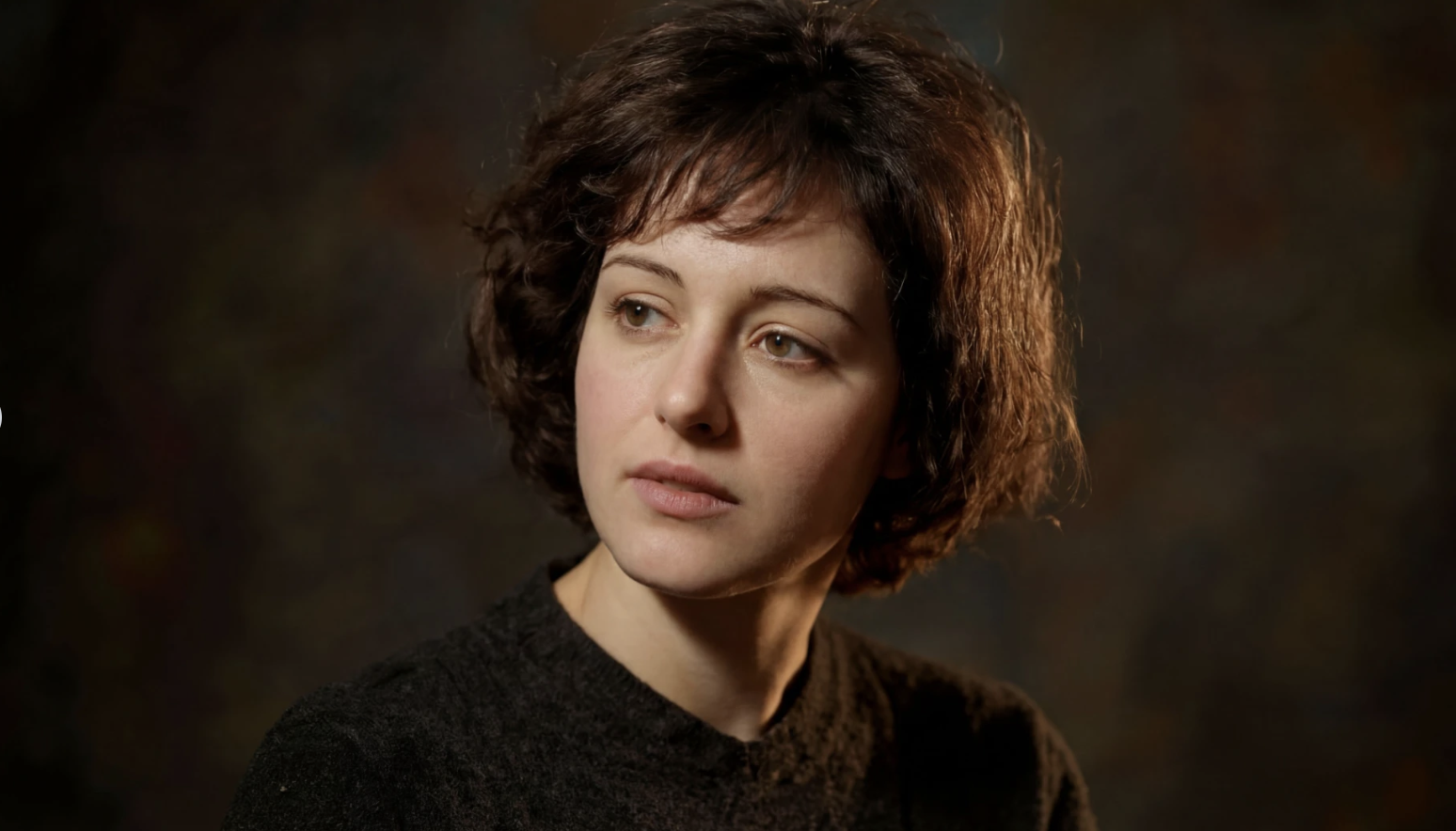
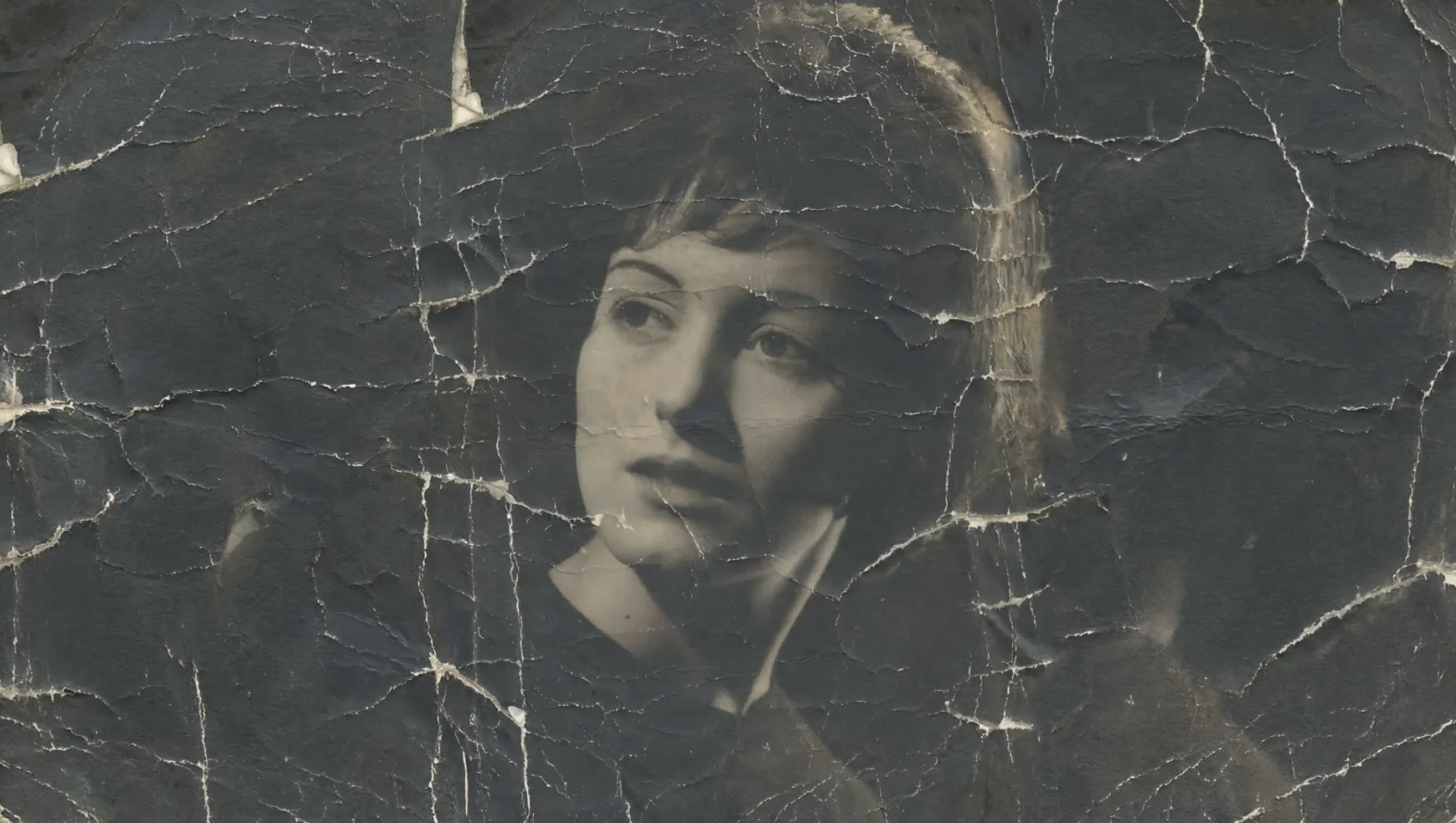
AI Old Photo Restoration - 복원하고 AI로 추억에 색을 입히세요
AI Old Photo Restoration을 사용하면 손으로 보정하지 않아도 스크래치를 복구하고, 흐릿함을 줄이고, 디테일을 살리며, 오래된 가족 사진에 자연스러운 색을 더할 수 있습니다.
사진 복원하기손상복원됨AI Old Photo Restoration이란 무엇인가요?
AI Old Photo Restoration은 스크래치 제거, 톤 보정, 얼굴 디테일 향상, 흑백 또는 바랜 사진의 자연스러운 컬러화를 통해 손상된 빈티지 사진을 복원하는 온라인 도구입니다. 오래된 사진과 기록 이미지를 더 선명하고 보기 좋은 상태로 되살리는 데 도움이 됩니다.
원본 스캔왜 AI Old Photo Restoration을 선택해야 하나요?
AI Old Photo Restoration은 복잡한 편집 프로그램을 배우지 않고도 오래된 사진을 빠르게 복원하고 싶은 사용자를 위한 도구입니다. 사진 한 장만 업로드하면 AI가 눈에 띄는 손상을 자동으로 보정하고, 앨범 보관이나 인쇄, 온라인 공유에 적합한 자연스러운 결과를 제공합니다.
AI 복원수동 보정AI 결과오래된 사진을 수작업으로 복원하는 일이 어려운 이유
수작업 복원은 느리고 반복적인 과정입니다. 먼지, 균열, 색 바램, 노출 불균형은 전문 도구로 하나씩 정리해야 하는 경우가 많습니다. AI Old Photo Restoration은 이런 일반적인 복원과 컬러화 작업을 자동으로 처리해 시간을 크게 줄여줍니다.
AI Old Photo Restoration의 핵심 기능은 무엇인가요?
AI Old Photo Restoration은 오래된 사진과 가족 사진에서 자주 보이는 문제인 손상 복구, 디테일 복원, 자연스러운 컬러화에 초점을 맞춥니다.
스크래치, 먼지, 접힌 자국 복원
원본 사진의 구도는 최대한 유지하면서 손상된 영역을 복원하고, 눈에 띄는 얼룩과 자국을 정리해 더 깔끔한 결과를 만듭니다.
얼굴과 질감 디테일 복원
AI Old Photo Restoration은 얼굴, 의상, 배경 사물처럼 중요한 영역의 선명도를 높여 흐릿하고 바랜 사진을 다시 또렷하게 보이도록 만듭니다.
자연스럽고 과하지 않은 컬러화
컬러화가 적합한 사진에는 흑백 또는 바랜 부분에 자연스러운 색조를 더해, 과하게 채도 높지 않은 현실적인 결과를 만듭니다.
AI Old Photo Restoration 사용법은 단 3단계
AI Old Photo Restoration으로 오래된 사진을 복원하는 방법은 매우 간단합니다.
오래되었거나 손상된 사진 업로드
1단계 - 오래된 사진 업로드
스캔한 인화본, 흑백 인물 사진, 바랜 가족 사진 중 하나를 선택해 업로드하세요. 별도의 설정 없이 바로 복원을 시작할 수 있습니다.
2단계 - AI가 사진을 자동으로 복원합니다
모델이 스크래치, 흐릿함, 대비 저하, 디테일 손실을 분석한 뒤 자동 복원과 필요 시 컬러화를 한 번에 진행합니다.
3단계 - 결과를 확인하고 다운로드합니다
처리가 끝나면 복원된 이미지를 확인하고, 공유하거나 보관하거나 인쇄할 수 있도록 다운로드할 수 있습니다.
오래된 사진에 다시 생기를 불어넣어 보세요
AI Old Photo Restoration으로 세월의 흔적을 복구하고, 소중한 추억에 자연스러운 색을 더해보세요. 가족 사진, 기록 보관 이미지, 빈티지 인물 사진을 빠르게 새롭게 만들 수 있습니다.
지금 AI Old Photo Restoration 사용해보기AI Old Photo Restoration에 대한 사용자 후기

M.R.
가족사 연구자
"AI Old Photo Restoration은 스크래치와 색 바램이 있는 오래된 가족 사진을 정리하는 데 큰 도움이 됐습니다. 복원 후에는 보관도 쉽고 가족과 공유하기도 훨씬 좋아졌어요."

D.K.
사진 스튜디오 운영자
"수작업 보정 전에 빠른 1차 복원을 위해 AI Old Photo Restoration을 사용합니다. 먼지 제거와 미리보기 준비 시간을 많이 줄여줍니다."

L.C.
콘텐츠 크리에이터
"AI Old Photo Restoration의 컬러화 결과는 소셜 콘텐츠나 개인 프로젝트에 쓰기에도 충분히 자연스럽습니다. 오래된 사진을 다시 활용할 수 있게 해줍니다."

A.T.
기록 보관 담당자
"대비 손실과 표면 손상이 있는 스캔 이미지를 다룰 때, AI Old Photo Restoration은 수작업만 할 때보다 훨씬 빠르게 깔끔한 시작점을 만들어 줍니다."

S.P.
소상공인
"기념 캠페인에 사용할 오래된 매장 사진을 AI Old Photo Restoration으로 복원했습니다. 선명도가 좋아졌고, 온라인에 올리기에도 충분히 깔끔해졌습니다."

J.N.
계보 연구자
"친척에게서 품질이 낮은 옛날 사진 스캔본을 받을 때 AI Old Photo Restoration이 특히 유용합니다. 이름, 얼굴, 옷차림을 더 쉽게 구분할 수 있을 만큼 디테일을 복구해 줍니다."
AI Old Photo Restoration에 대한 자주 묻는 질문
AI Old Photo Restoration은 무엇이며 어떻게 작동하나요?
AI Old Photo Restoration은 이미지 투 이미지 AI 처리를 사용해 눈에 보이는 손상을 복구하고, 톤을 다시 조정하고, 디테일을 개선하며, 필요할 경우 오래된 사진을 자연스럽게 컬러화합니다. 이미지를 업로드하면 모델이 복원 과정을 자동으로 처리합니다.
AI Old Photo Restoration은 어떤 종류의 손상을 복구할 수 있나요?
스크래치, 먼지, 접힌 자국, 색 바램, 대비 부족, 얼굴이나 질감의 디테일 부족처럼 오래된 스캔 사진에서 자주 보이는 문제를 대상으로 설계되었습니다.
AI Old Photo Restoration은 흑백 사진도 컬러화할 수 있나요?
네. 사진에 적합한 경우 자연스럽고 과하지 않은 색을 더해, 복원된 이미지가 부자연스럽지 않도록 유지합니다.
AI Old Photo Restoration은 얼마나 걸리나요?
이미지 복잡도와 서버 상태에 따라 다르지만, 대부분의 작업은 10초에서 30초 내에 완료됩니다.
AI Old Photo Restoration은 어떤 파일 형식을 지원하나요?
JPG, JPEG, PNG, WEBP 파일을 지원하며, 최대 16MB까지 업로드할 수 있습니다.
AI Old Photo Restoration을 사용하려면 계정이 필요한가요?
Nano Banana Lite 무료 모드에서는 계정 없이도 생성할 수 있습니다. 다만 Nano Banana 2로 Premium 재생성을 하려면 로그인하고, 활성 유료 플랜 또는 사용 가능한 크레딧이 있어야 합니다.
AI Old Photo Restoration은 크레딧을 얼마나 사용하나요?
이 페이지는 Nano Banana Lite 무료 모드를 사용하도록 구성되어 있으므로 일반 복원 시에는 유료 크레딧이 차감되지 않습니다.
AI Old Photo Restoration은 전문 작업에도 적합한가요?
네. 아카이브, 스튜디오, 가족사 프로젝트에서 빠른 1차 복원 레이어로 활용하기 좋으며, 이후 수작업 보정을 하기 전의 기반 이미지로도 충분히 유용합니다.