Seamless Auto-Blending
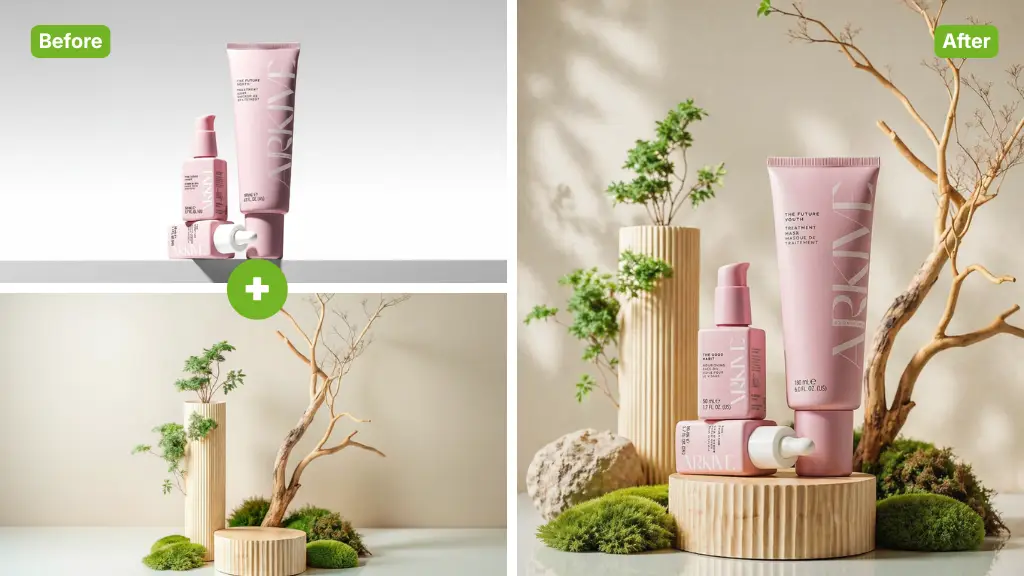
The AI Image Blender engine automatically detects subjects and backgrounds. It adjusts edges and transparency to merge photos without visible seams or harsh cutouts.
Instantly mix two photos, create double exposures, and blend images seamlessly with our advanced Free AI Image Blender.
Rated 4.9+
by Nano Banana AI Users
50M+
Pictures Created
Trusted By 800+
Organizations
Helping creators & businesses everywhere work easier
AI Image Blender helps you blend two photos online instantly. Seamlessly mix images, create double exposures, and merge pictures. Free, fast, and no sign-up.
Try It Now for Free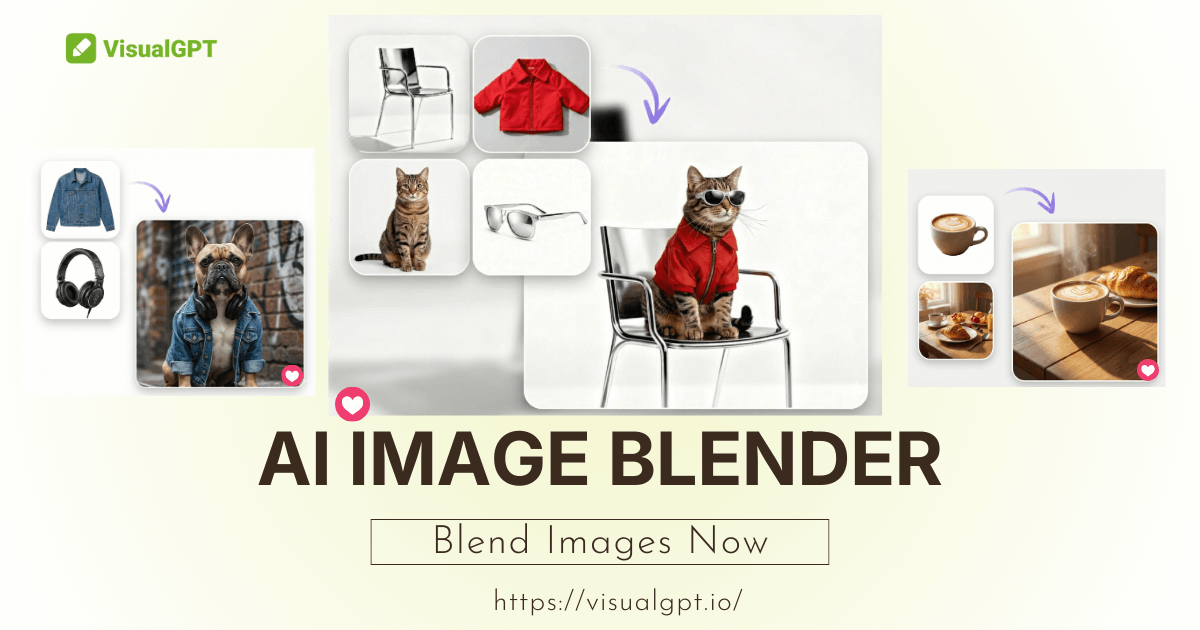
AI Image Blender is a creative tool that merges multiple photos into one stunning composition. Unlike simple overlays, AI Image Blender uses smart algorithms to analyze depth and lighting. It seamlessly integrates subjects with new backgrounds or mixes styles to create unique digital art instantly.
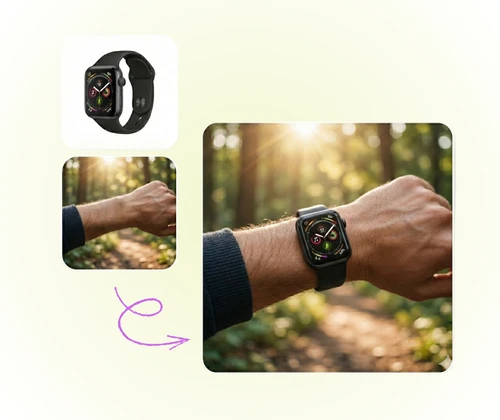
AI Image Blender makes professional compositing accessible to everyone. It automates masking and blending modes, saving hours of manual editing. With high-quality output and privacy protection, AI Image Blender allows users to experiment with infinite visual combinations freely and securely.
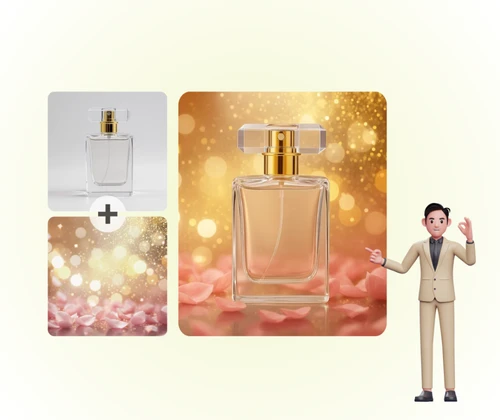
Merging photos manually is frustrating. Hard edges, mismatched colors, and complex layer masks in Photoshop can ruin a good idea. Traditional apps often leave a "fake" cutout look. AI Image Blender solves this by intelligently matching lighting and textures, ensuring every blend looks organic and professional.
Try It Now for FreeAI Image Blender combines artistic freedom with technical precision to deliver seamless photo mixes.
The AI Image Blender engine automatically detects subjects and backgrounds. It adjusts edges and transparency to merge photos without visible seams or harsh cutouts.
Create trendy double exposure effects in one click. AI Image Blender overlays silhouettes with landscapes or patterns, achieving a high-end magazine aesthetic instantly.
A key to realism is lighting. AI Image Blender analyzes the color tone of both images and harmonizes them, so the blended result feels like it belongs in the same scene.
Creating a photo mashup is simple and fun with AI Image Blender. Just follow these steps.
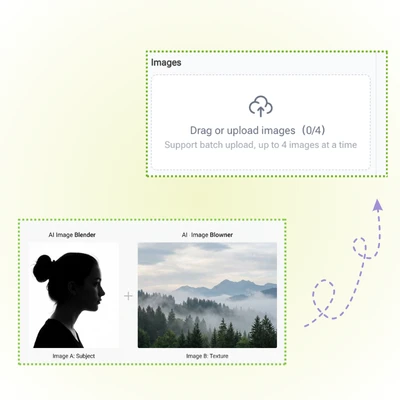
Drag and drop a foreground image and a background image into AI Image Blender. The tool supports standard formats like JPG and PNG. High-resolution inputs yield the best results.
Let AI Image Blender auto-process. You can adjust the blending intensity to balance the visibility of both photos for the perfect look.
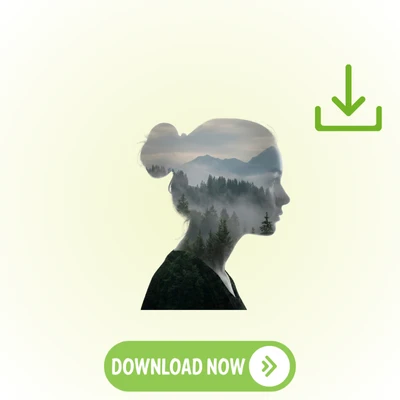
See the magic happen instantly. Once satisfied with the creative mix, download the unique artwork generated by AI Image Blender to the device for sharing or printing.
Don't limit your imagination. Use AI Image Blender to create surreal art and unique composites instantly. Free and easy.
Jamie L.
Digital Artist
“I love making fan art, but I'm terrible at Photoshop. AI Image Blender is a game-changer for me. I can take a character and blend them into a fantasy background in seconds. The way it handles the lighting is surprisingly good. It doesn't look like a cheap sticker; it actually looks like they are in the scene. Highly recommend for any creative hobbyist.”
Mark S.
Social Media Manager
“I needed to create some quick social media posts merging our product with lifestyle images. AI Image Blender saved me budget on hiring a designer. The interface is super intuitive. I just uploaded the pics, and the AI did the rest. The double exposure effect is also really cool for our branding campaigns. It is a must-have tool for small marketing teams.”
Sarah K.
Student
“I've tried other 'photo mixers' before, but they usually just lower the opacity. AI Image Blender feels different. It seems to understand where the subject is. I used it to blend a photo of my dog with a galaxy background, and the result was hilarious and beautiful. It's fast, free, and the quality is great for Instagram.”
David R.
Photographer
“As a photographer, I sometimes want to experiment with double exposures but forget to do it in-camera. AI Image Blender lets me do it in post-production effortlessly. The blending modes give me enough control to get the artistic look I want without being complicated. It is a great addition to my workflow for quick creative edits.”
Alex T.
Gamer
“I use AI Image Blender to make memes for my Discord server. It's perfect for mashing up two completely unrelated images. The fact that I don't need to sign up is a huge plus. I can just make a quick edit and download it. The blend quality is way better than just pasting one pic over another in Paint.”
Jessica M.
Blogger
“The AI Image Blender creates such dreamy effects. I blended my portrait with a photo of flowers, and it looks like a professional album cover. It retained the details of my face while nicely incorporating the floral textures. I'm amazed this tool is free. It unlocks so much artistic potential.”