
Zero-Skill Editing With Smart Detection
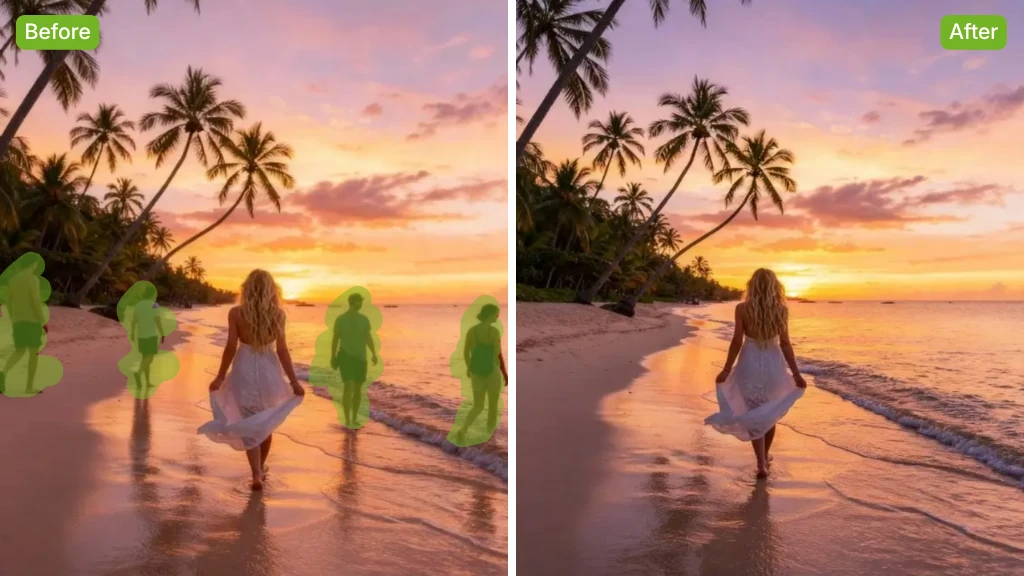
AI Object Remover removes unwanted items automatically and restores the area with natural details. It removes the need for difficult steps, giving you clean images in a fast and simple way.
Quickly erase unwanted objects and restore a clean, natural look to any photo with simple AI editing.
Rated 4.9+
by Nano Banana AI Users
50M+
Pictures Created
Trusted By 800+
Organizations
Helping creators & businesses everywhere work easier
AI Object Remover deletes unwanted objects from any photo free. Clean objects, natural results, HD output, fast processing, and no watermark or no sign-up.
Try It Now for Free
AI Object Remover is an online tool that clears unwanted items from photos and rebuilds the background in a clean, natural way. It helps you fix travel images, improve product photos, and prepare visuals for social posts without advanced editing skills or complex steps.
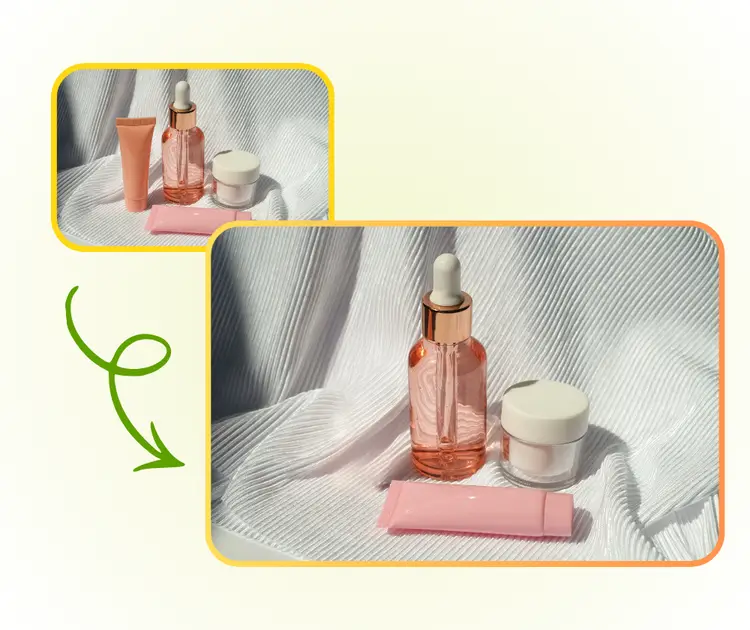
AI Object Remover provides fast, simple photo clean-up with flexible controls and natural results, all without complex tools.
AI Object Remover removes unwanted items automatically and restores the area with natural details. It removes the need for difficult steps, giving you clean images in a fast and simple way.
AI Object Remover handles street photos, rooms, and reflective surfaces with steady colors and shapes. This makes it useful for product shots, travel photos, and daily image tasks.
You can mark areas by hand or guide the AI with a short prompt. Both options help you adjust the final image and get a result that matches your style or purpose.
AI Object Remover quickly removes unwanted items from photos across travel, product, and social media scenarios.
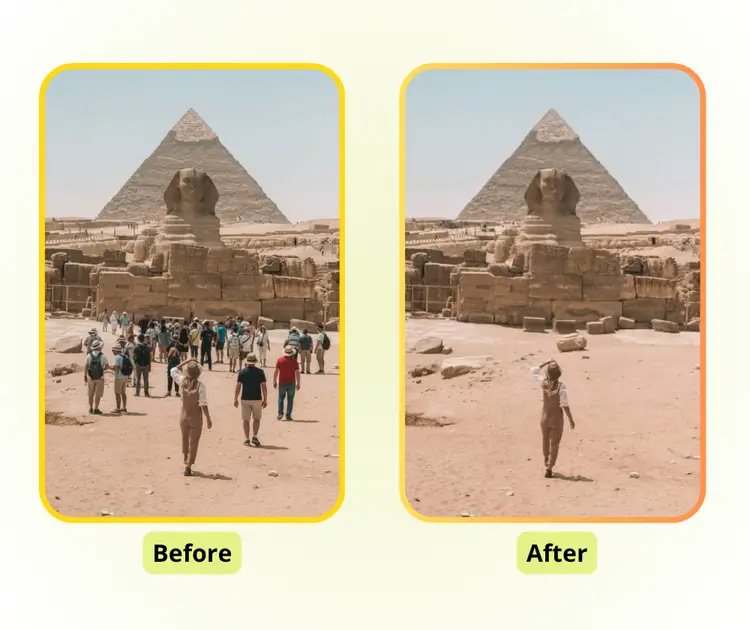
With travel pictures, unwanted people, cars, or objects can ruin a shot. AI Object Remover removes these distractions while keeping the scenery intact. Whether it's a busy street, a landmark, or a natural landscape, the tool ensures your photos look clean, professional, and ready to share.
For e-commerce and marketing, cluttered product images can reduce appeal. AI Object Remover clears unnecessary items and background distractions, maintaining original colors and textures. It helps sellers create polished listings and high-quality visuals without needing advanced editing skills.
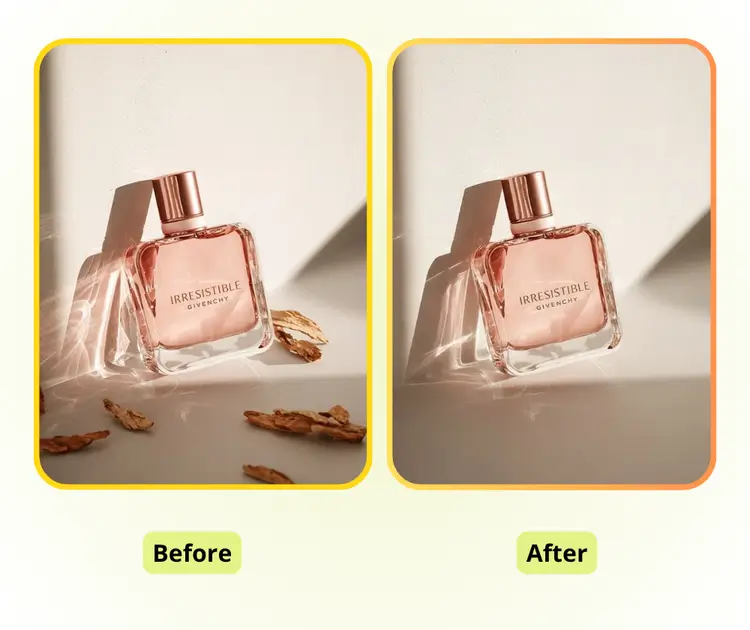
Social media posts, stories, or thumbnails often need quick clean-ups. AI Object Remover eliminates background distractions, unwanted objects, and imperfections, making images visually appealing. It's ideal for creators who want fast, natural-looking results to improve engagement and content quality.
With just a few clicks, you can restore natural background with AI Object Remover.
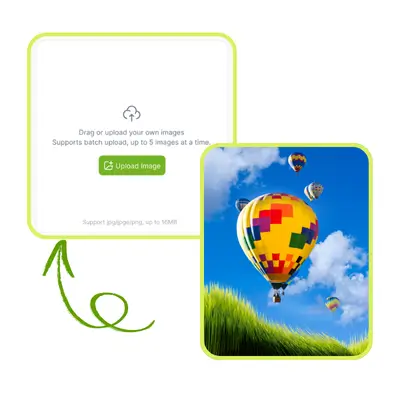
Start by uploading the image you want to edit. AI Object Remover accepts common photo formats and preserves original resolution, ensuring your picture stays clear while preparing it for object removal.
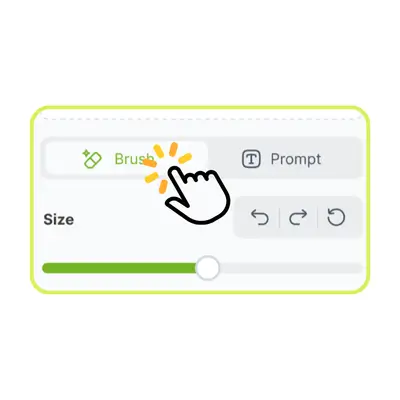
Choose either manual brushing to mark unwanted areas or type a short prompt describing the object. The AI will use your input to identify precisely what needs to be removed, giving you control over the result.
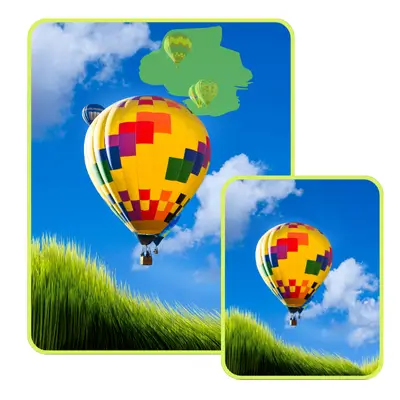
Click the remove button, and the AI Object Remover will automatically detect and erase the selected items. The missing area is filled naturally, leaving a clean, polished image ready to use.
Remove unwanted objects from any image in seconds with our AI Object Remover. It's fast, easy, and requires no advanced skills—perfect for travel shots, product photos, or social media content.
Try It Now for Free
S.L.
Travel Blogger
“The AI Object Remover made editing my travel photos incredibly easy. I was able to remove strangers and unwanted objects from crowded streets, and the results looked completely natural. It saved me hours compared to manual editing, and I didn't need any prior Photoshop skills. The tool is fast, precise, and perfect for anyone who wants clean, professional-looking images without complex software.”

M.K.
E-commerce Seller
“Using the AI Object Remover for my product photography was a game-changer. I could quickly clear backgrounds and remove distracting elements, making my e-commerce listings look much more professional. The AI accurately detects objects and fills in missing areas naturally. It's a simple, efficient way to improve visuals and save time in my daily workflow.”

R.T.
Content Creator
“I love how the AI Object Remover helps me prepare social media content. I can instantly clean up images and remove unwanted objects that distract from my main subject. The results always look smooth and natural, which makes my posts more appealing. It's easy to use and perfect for someone like me who needs quick, high-quality edits without learning complex software.”

R.T.
Photographer
“The AI Object Remover is an essential tool for my photography projects. I often capture street or landscape scenes where unwanted items appear in the frame. This tool removes them seamlessly and keeps the background intact. It's reliable, intuitive, and saves me a lot of time compared to manual corrections. Highly recommended for both professional and hobby photographers.”

K.H.
Marketing Specialist
“I've been using the AI Object Remover for preparing images for marketing campaigns. It makes clearing clutter from photos fast and effortless. The AI intelligently detects unwanted objects and reconstructs the background in a realistic way. I appreciate how quick and accurate it is, making it a great tool for anyone handling visual content regularly.”

S.P.
Hobbyist Photographer
“The AI Object Remover is fantastic for personal projects too. I can clean old photos or remove distractions from family pictures in seconds. The AI fills the removed areas naturally, and the interface is simple enough that I don't waste time figuring it out. It's efficient, user-friendly, and delivers professional-looking results every time.”